
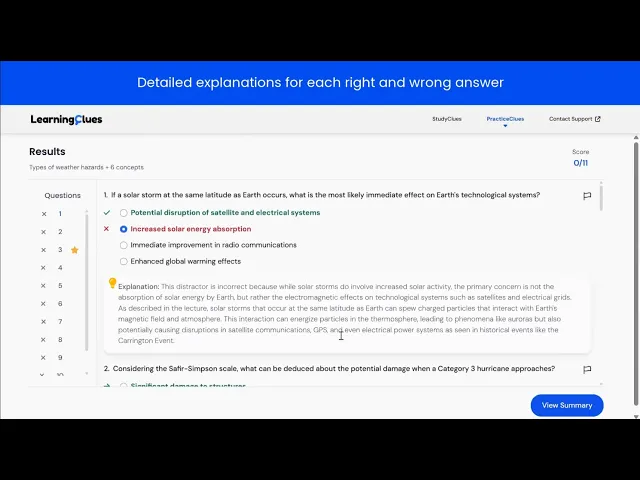
PracticeClues
PracticeClues uses AI to generate practice questions from lecture videos that are linked to course learning objectives. Students can create and attempt their own practice quizzes and over time receive personalized suggestions on course topics to review based on recorded proficiency scores.
Meet PracticeClues:
Your Custom Quiz Generator and Progress Tracker
Generate Custom Quizzes
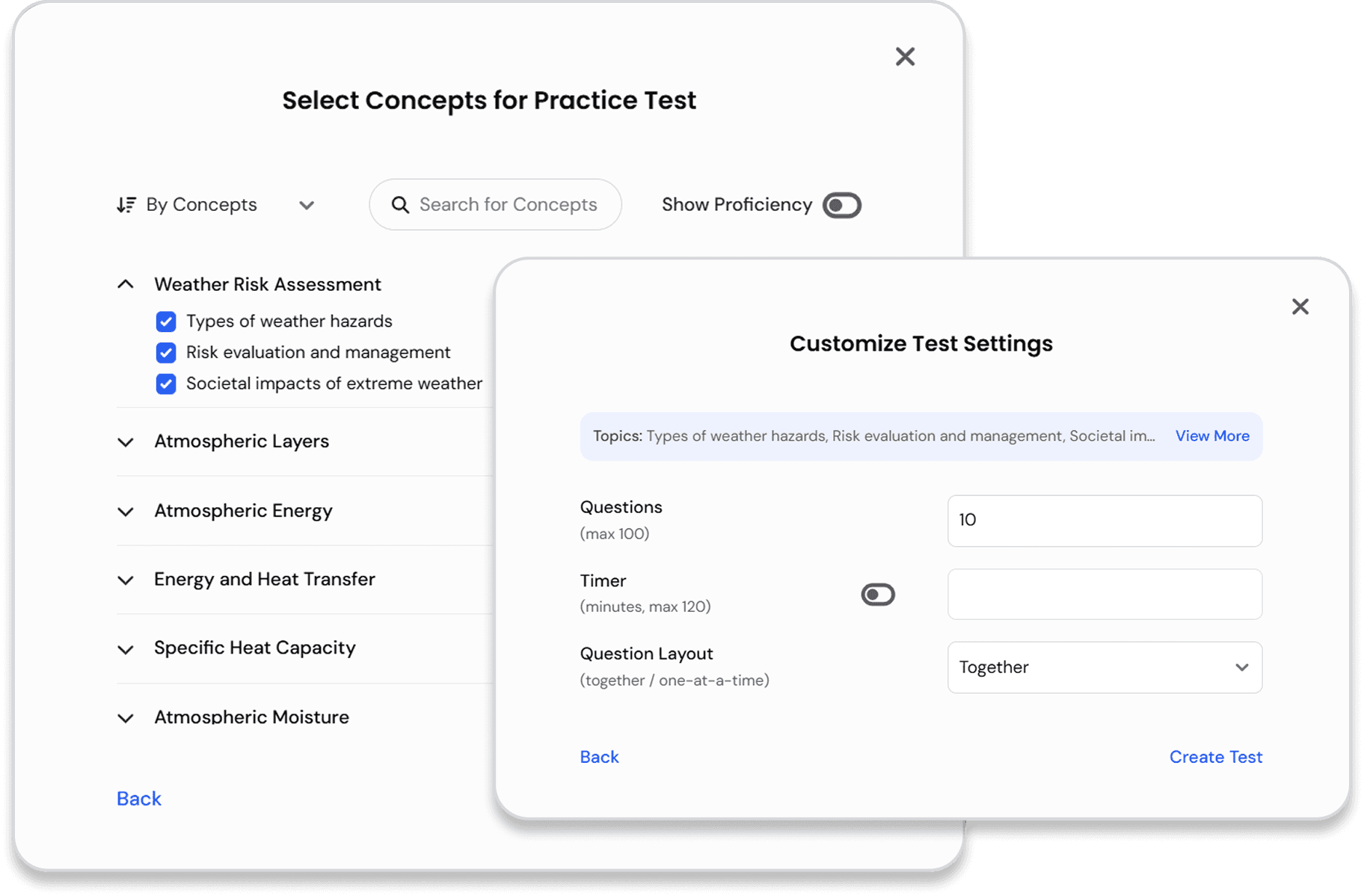
Personalize your test by
Picking and choosing any number of course concepts
Customizing test settings like the number of questions, quiz format, and timer
Receive Scaffolding & Support
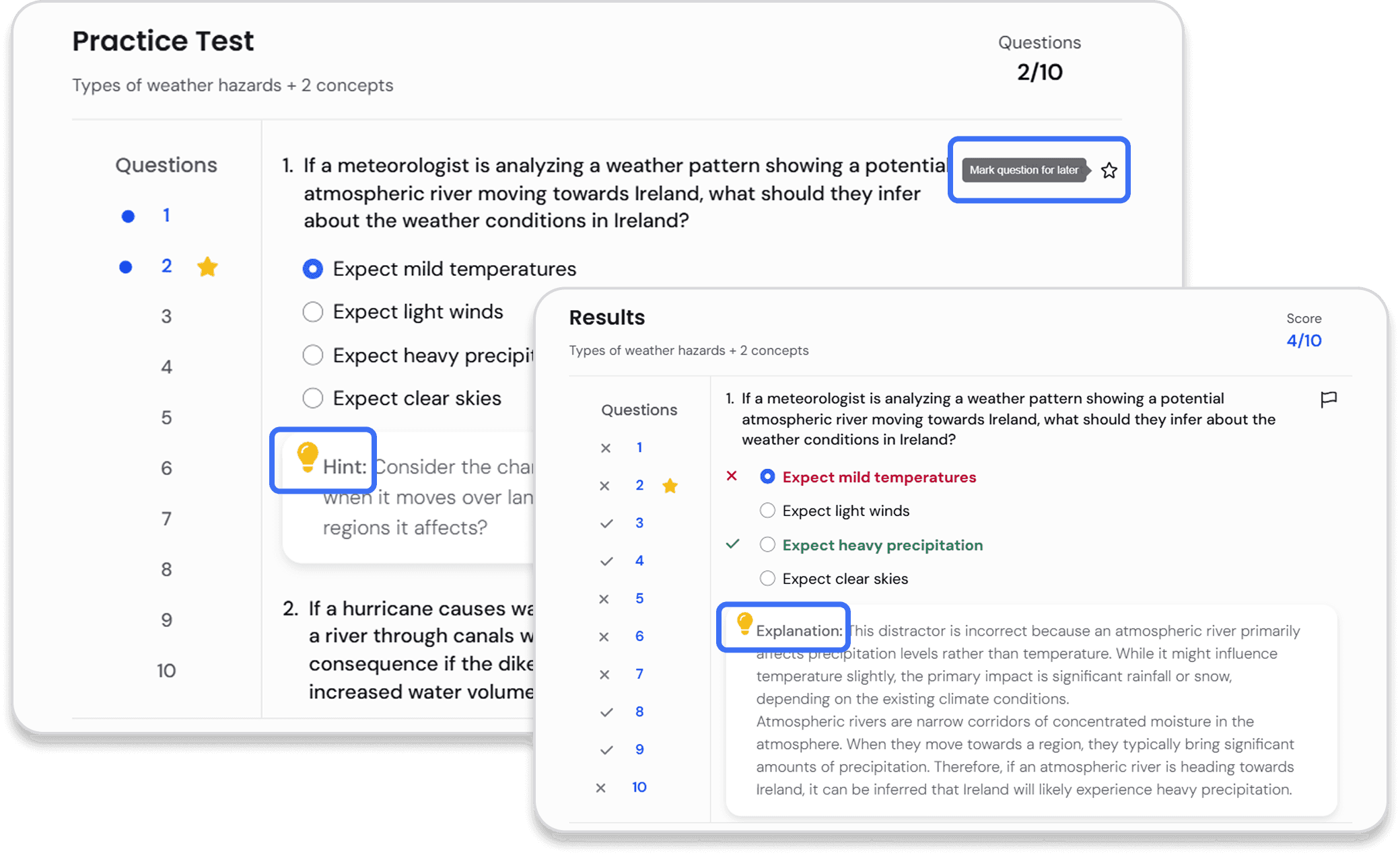
Toggle hints for guidance
Mark questions to come back to them later
Detailed explanations for each right and wrong answer aligned with course learning objectives
Track your Progress on Course Concepts
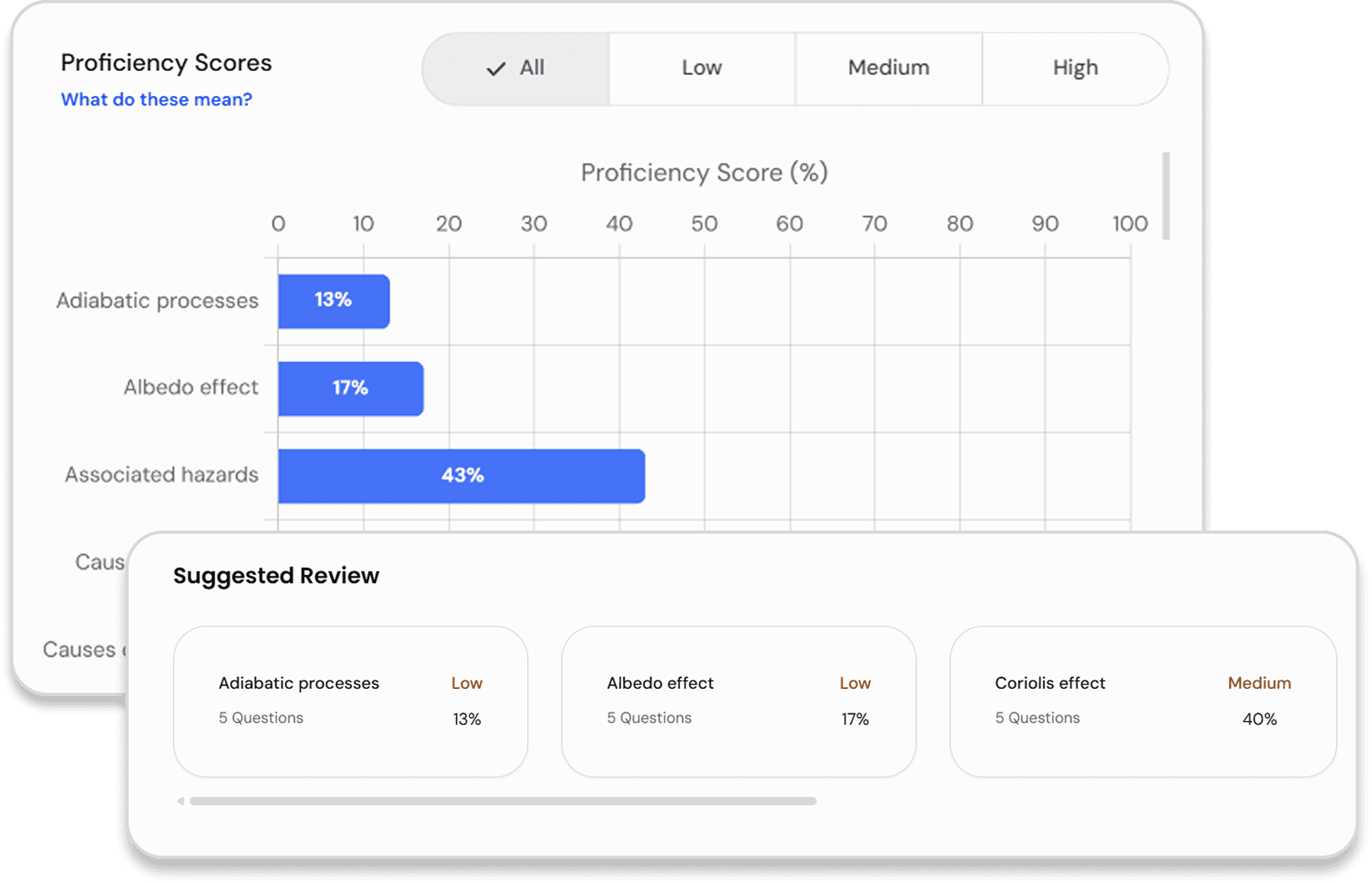
Students receive measures of Proficiency per Concept, constantly updated based on their performance on test questions.
Dynamic, Personalized Study Plan
Immediately identify strengths and areas of improvement
Receive personalized suggestions on concepts to review based on recorded proficiency scores
Efficiently allocate study time and resources
How it Works?
The diagram below illustrates how questions are generated automatically in PracticeClues based on a class discussion


Lecture Video auto-ingested from course recording platform
Transcript segmented into topics using LLMs
Multiple choice questions generated for each topic
Questions vetted through 20+ quality checks
Vetted questions linked to course learning objectives and added to student and instructor dashboards
Supports Instructional Design by:
Saving Time: No need to write questions manually, high-quality questions are generated instantly.
Aligning to Outcomes: Each question can be mapped to specific course objectives.
Improving Engagement: Questions are personalized and can be delivered daily to students.
Scaffolding Learning: Learners can review earlier material when relevant, boosting retention and reducing DFW rates.
Quiz Creation across the Board: Can be used by instructors for course quizzes, formative assessments, or practice exams (see Instructor Dashboard).
Frequently Asked Questions
Can instructors edit or approve auto-generated questions?
Faculty
Yes. You can accept, reject, or revise questions.
LearningClues is your course-specific study assistant. It helps you review material, quiz yourself, and get better prepared for exams—all based on what your instructor actually taught.
Administrators
LearningClues is your course-specific study assistant. It helps you review material, quiz yourself, and get better prepared for exams—all based on what your instructor actually taught.
How does the system measure student proficiency or learning growth?
Faculty/Administrators
It estimates student proficiency by tracking responses over time across learning objectives, showing growth both within and across courses—enabling cross-course and longitudinal analysis.
Students
LearningClues is your course-specific study assistant. It helps you review material, quiz yourself, and get better prepared for exams—all based on what your instructor actually taught.
Administrators
LearningClues is your course-specific study assistant. It helps you review material, quiz yourself, and get better prepared for exams—all based on what your instructor actually taught.
How does LearningClues help students study more efficiently?
Students
It surfaces only what’s relevant to your course and helps you focus on concepts you haven’t yet mastered. It also reminds you to revisit material based on spaced repetition.
Students
LearningClues is your course-specific study assistant. It helps you review material, quiz yourself, and get better prepared for exams—all based on what your instructor actually taught.
Administrators
LearningClues is your course-specific study assistant. It helps you review material, quiz yourself, and get better prepared for exams—all based on what your instructor actually taught.