
Instructor Dashboard

See what Students are Asking, and what they’re Missing…

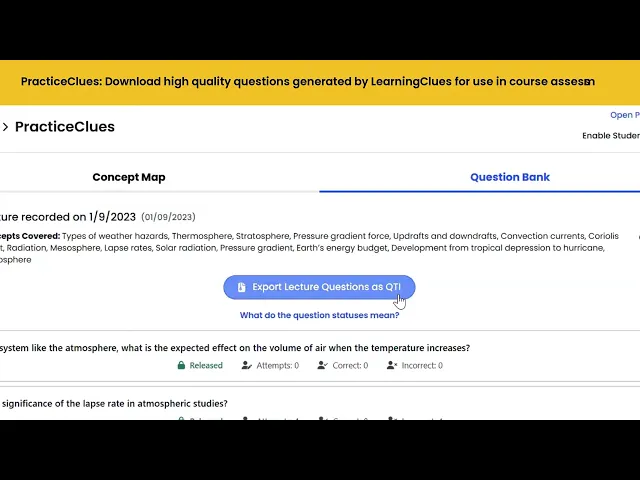
The Instructor Dashboard keeps faculty in control of the learning process by providing insights into student engagement, learning gaps, and managing access to course files and videos used by LearningClues AI.

Meet the Instructor Dashboard:

Your Eyes and Ears into Student Engagement

Provides Insights into Student Performance
What You See…

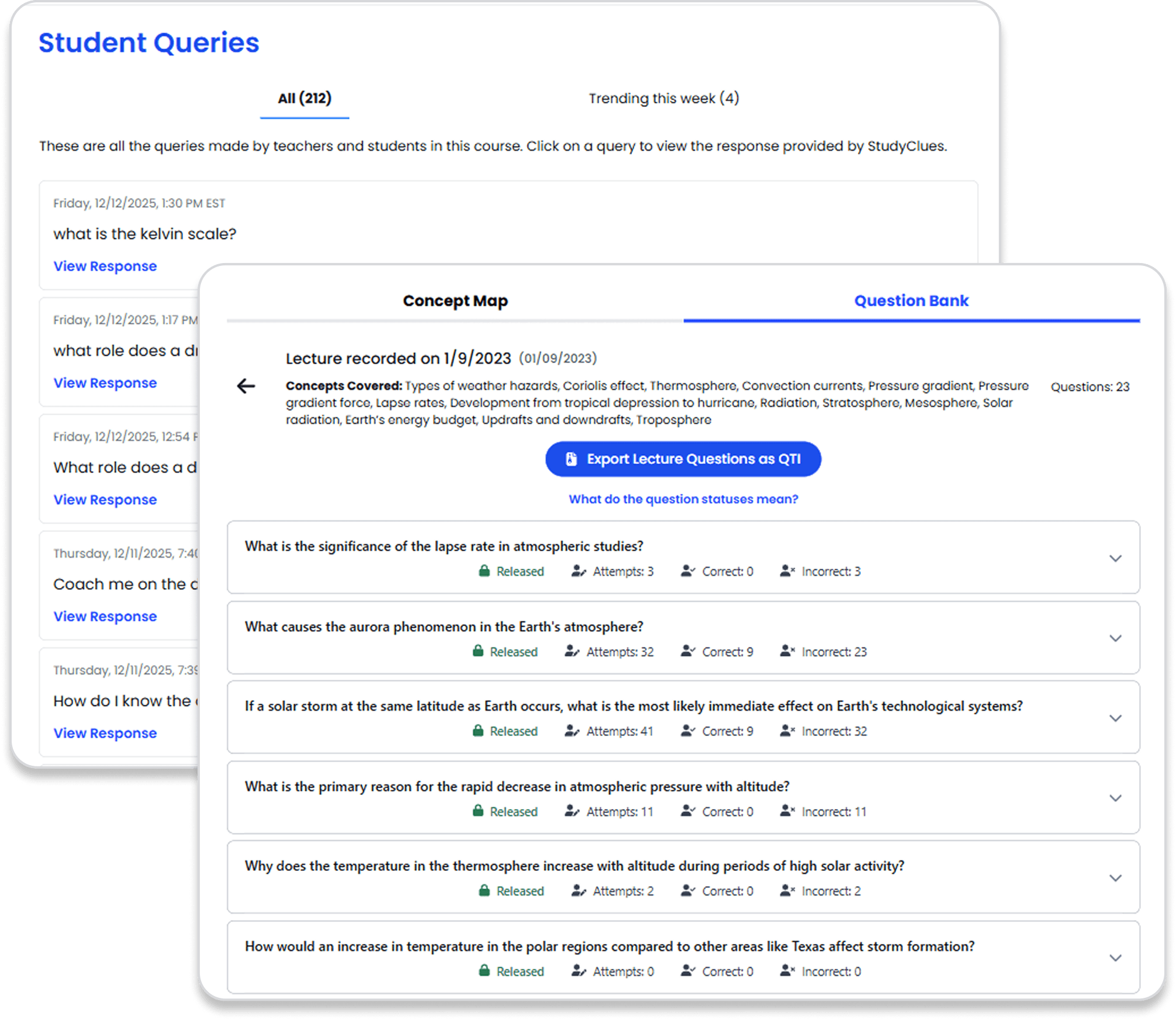
Anonymized student queries and corresponding StudyClues responses, including what’s trending each week

Student performance on questions generated by PracticeClues

Course Concept Map and how it links to AI-generated questions

Keeps you in Control of the Learning Process

What You Can Do…

Organize course concept map before question generation to ensure alignment with course learning objectives

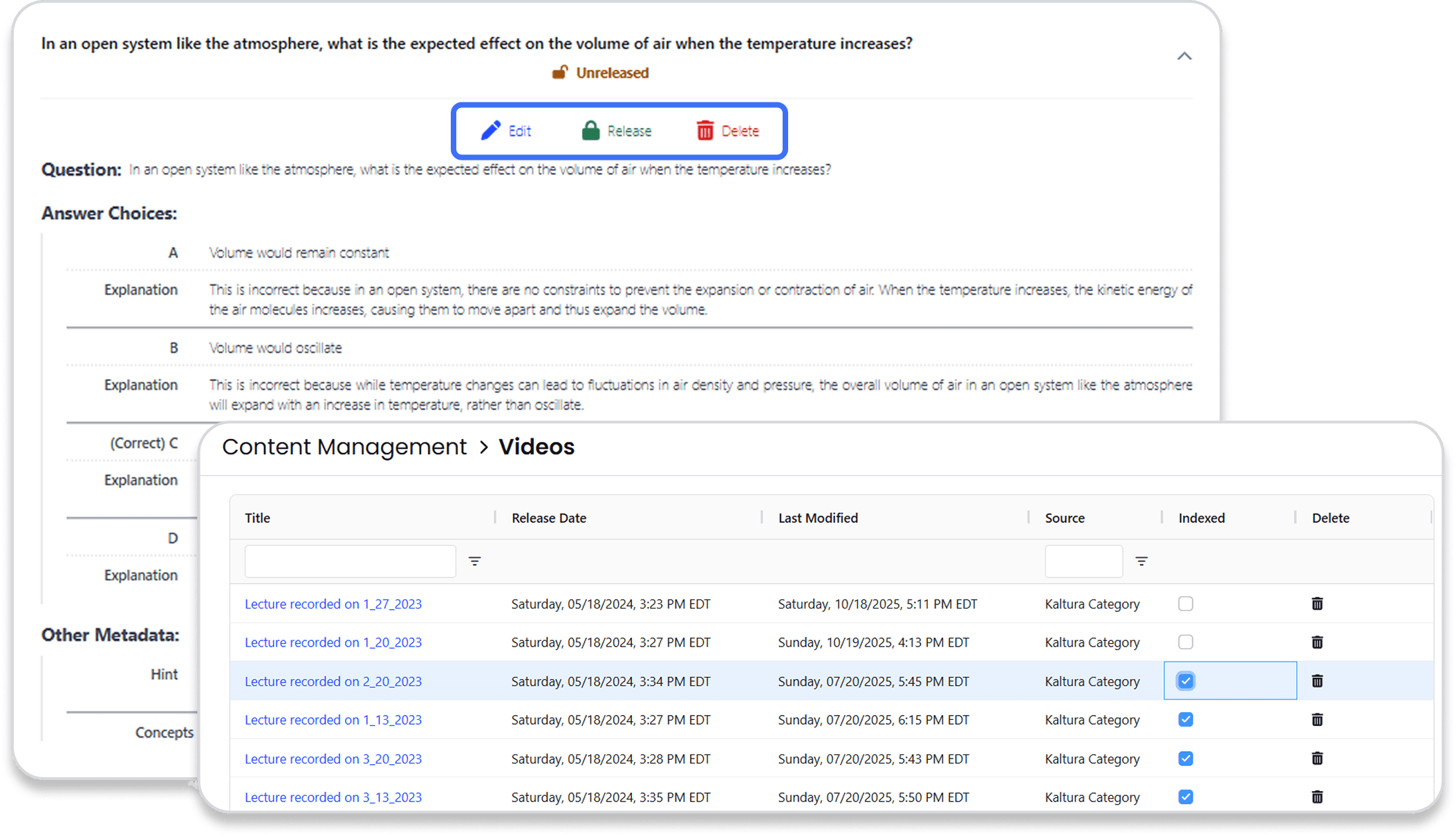
Review/Edit questions generated by PracticeClues after each lecture

Manage access to course files and videos used by LearningClues AI

Turn off system access to students during exam time (optional)
Why it Matters?

Why it Matters?

Control and customize your students' AI learning experience

Adjust teaching with real-time feedback

Identify learning gaps

Save time answering repeat questions

Align AI-generated questions with your course learning objectives
Frequently Asked Questions

How much effort is asked of the instructor?

Faculty

Very little. You keep using your LMS and lecture tools as usual. LearningClues auto-ingests materials and offers previews of generated questions. You can review/edit content at your discretion and set when it’s visible to students.

Students

LearningClues is your course-specific study assistant. It helps you review material, quiz yourself, and get better prepared for exams—all based on what your instructor actually taught.

LearningClues is your course-specific study assistant. It helps you review material, quiz yourself, and get better prepared for exams—all based on what your instructor actually taught.

How much effort is asked of the instructor?

Faculty

Very little. You keep using your LMS and lecture tools as usual. LearningClues auto-ingests materials and offers previews of generated questions. You can review/edit content at your discretion and set when it’s visible to students.

Students

LearningClues is your course-specific study assistant. It helps you review material, quiz yourself, and get better prepared for exams—all based on what your instructor actually taught.

LearningClues is your course-specific study assistant. It helps you review material, quiz yourself, and get better prepared for exams—all based on what your instructor actually taught.

How much effort is asked of the instructor?

Faculty

Very little. You keep using your LMS and lecture tools as usual. LearningClues auto-ingests materials and offers previews of generated questions. You can review/edit content at your discretion and set when it’s visible to students.

Students

LearningClues is your course-specific study assistant. It helps you review material, quiz yourself, and get better prepared for exams—all based on what your instructor actually taught.

LearningClues is your course-specific study assistant. It helps you review material, quiz yourself, and get better prepared for exams—all based on what your instructor actually taught.

How does LearningClues help the instructor?

Faculty

You get insights into what confuses students, how they’re performing by topic, and which questions they’re asking. You also receive class-level teaching feedback and auto-generated questions mapped to your learning objectives.

Students

LearningClues is your course-specific study assistant. It helps you review material, quiz yourself, and get better prepared for exams—all based on what your instructor actually taught.

Administrators

LearningClues is your course-specific study assistant. It helps you review material, quiz yourself, and get better prepared for exams—all based on what your instructor actually taught.

How does LearningClues help the instructor?

Faculty

You get insights into what confuses students, how they’re performing by topic, and which questions they’re asking. You also receive class-level teaching feedback and auto-generated questions mapped to your learning objectives.

Students

LearningClues is your course-specific study assistant. It helps you review material, quiz yourself, and get better prepared for exams—all based on what your instructor actually taught.

Administrators

LearningClues is your course-specific study assistant. It helps you review material, quiz yourself, and get better prepared for exams—all based on what your instructor actually taught.

How does LearningClues help the instructor?

Faculty

You get insights into what confuses students, how they’re performing by topic, and which questions they’re asking. You also receive class-level teaching feedback and auto-generated questions mapped to your learning objectives.

Students

LearningClues is your course-specific study assistant. It helps you review material, quiz yourself, and get better prepared for exams—all based on what your instructor actually taught.

Administrators

LearningClues is your course-specific study assistant. It helps you review material, quiz yourself, and get better prepared for exams—all based on what your instructor actually taught.

Can I control when LearningClues is available to students?

Faculty

Yes, you can turn it off during exams, adjust visibility by date, or limit which content is exposed.

Students

LearningClues is your course-specific study assistant. It helps you review material, quiz yourself, and get better prepared for exams—all based on what your instructor actually taught.

Administrators

LearningClues is your course-specific study assistant. It helps you review material, quiz yourself, and get better prepared for exams—all based on what your instructor actually taught.

Can I control when LearningClues is available to students?

Faculty

Yes, you can turn it off during exams, adjust visibility by date, or limit which content is exposed.

Students

LearningClues is your course-specific study assistant. It helps you review material, quiz yourself, and get better prepared for exams—all based on what your instructor actually taught.

Administrators

LearningClues is your course-specific study assistant. It helps you review material, quiz yourself, and get better prepared for exams—all based on what your instructor actually taught.

Can I control when LearningClues is available to students?

Faculty

Yes, you can turn it off during exams, adjust visibility by date, or limit which content is exposed.

Students

LearningClues is your course-specific study assistant. It helps you review material, quiz yourself, and get better prepared for exams—all based on what your instructor actually taught.

Administrators

LearningClues is your course-specific study assistant. It helps you review material, quiz yourself, and get better prepared for exams—all based on what your instructor actually taught.

LearningClues Logo

Secure, AI-Powered Support for Students & Faculty

ideas@learningclues.com

© 2025 • LearningClues, Inc.

All rights reserved.

LearningClues Logo

Secure, AI-Powered Support for Students & Faculty

ideas@learningclues.com

© 2025 • LearningClues, Inc.

All rights reserved.

LearningClues Logo

Secure, AI-Powered Support for Students & Faculty

ideas@learningclues.com

© 2025 • LearningClues, Inc.

All rights reserved.